
Figma Plugins
PERSONAL PROJECT (NOT CLIENT WORK)
As an avid user of Figma’s plugin feature, I audited the current system for areas of opportunity relating to plugin navigation and access.
ROLE
Sole UX Designer
PROBLEM
Figma plugins aren't sortable by discipline and are instead stored in a "recently used" list. This makes accessing specific plugins incredibly difficult for heavy plugin users.
RESULTS
• 150% reduction in time spent searching for specific plugins
• 8 overwhelmingly positive user reviews
• 200% average plugin workflow time reduction
Problem synthesis
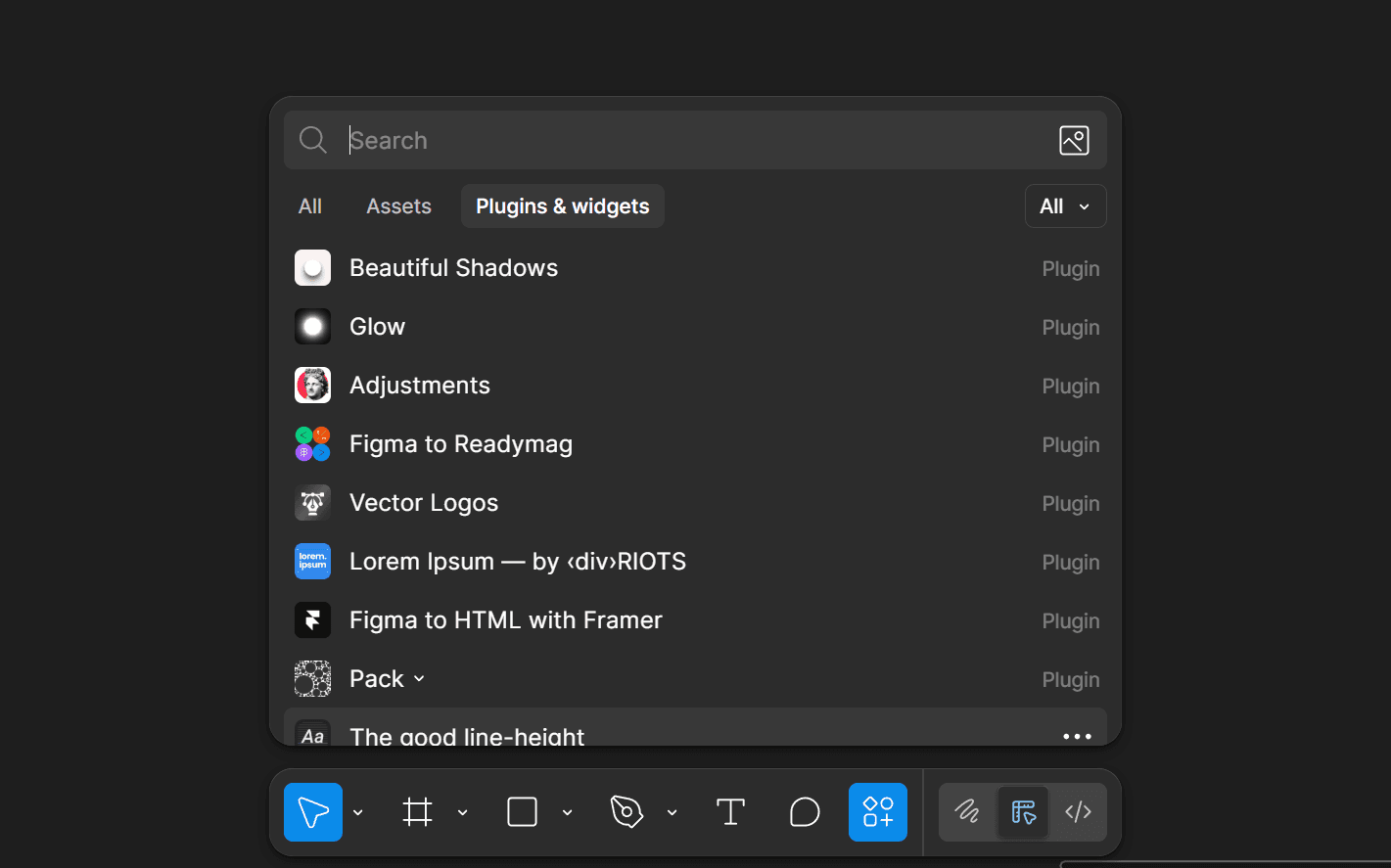
Figma Design offers user-created plugins that increase workflows across many categories of work: graphic design, web design, data visualization, icon creation, content formatting, and more. Figma currently allows users to search for these plugins through a master search. After a user has used a plugin, it's stored in a "recently used" list in Figma's context taskbar.
However, an issue arises with accessing plugins in this way. Heavy plugin users who use the same set of plugins often find it extremely difficult to continuously navigate an ever-growing mix of plugins that update upon single plugin use. They need a new way to sort and manage plugins, especially in accordance to their specific plugin use cases.
How might Figma facilitate a more efficient plugin workflow?
Upon interviewing 8 Figma users who employ plugins in their workflows regularly, I learned that each used plugins for different use cases, and often for more than one: graphic design, photo editing, mockups, etc.
Without a way to organize these plugins, users reported feeling "slow" in tasks requiring moderate plugin use.
"The Plugin Wizard" user persona
With the current architecture in place, a user wanting to find a vaguely remembered plugin will need to first search their recents list, then attempt to find the plugin by name using the global plugin search. If they can't remember it, they wont be able to use it.

The Plugin Wizard
Uses 10+ plugins in their regular design work
BEHAVIOR
Regularly uses Figma to design graphics, websites, business materials, etc. Needs plugins for work-adjacent tasks.
PAIN POINTS
Consistently loses time searching for already known plugins. Sparingly tries new plugins out of fear they’ll push known plugins out of the recent list. Consistently forgets to manually save used plugins.
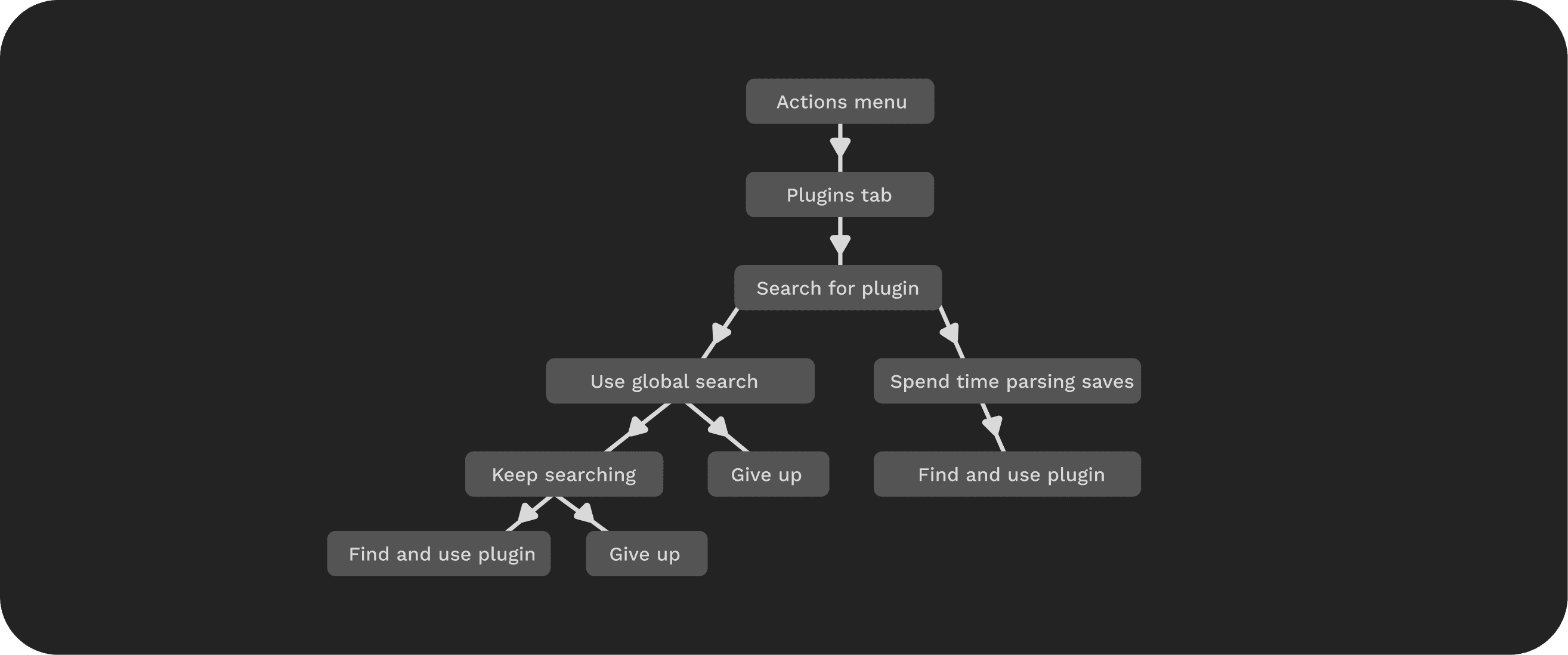
The solution - folders
Replacing the default "recents" list with dedicated plugin folder allows for users to access recently-used plugins as well as navigate to discipline-specific plugins, all sorted by use case.
ACCESSING A FOLDER
CREATING A NEW FOLDER
ADDING PLUGINS TO A FOLDER
SAVING FOLDERS FROM FIGMA COMMUNITY
A streamlined plugin experience
Following these proposed changes to Figma's plugin system, the typical user journey becomes clear and simple; the user accesses the plugins tab, navigates to their organized folders, and selects the right plugin for the job.